Posts

Showing posts with the label Lighting

Shadow "Solved"

Image
  No more light bleed.      It can be solved. But no in anyway you'd think. Unreal cannot properly handle lighting with objects that have 0 thickness to them. Unfortunetly, my tiles that I had been working with in Crocotile cannot render properly when they are just "curtains" like this.     The solution? Well. I can add a retangular prism, the length of the curtain along the base of the object. I can keep it thin, and thus hidden, you can't see it. But it solves the light problem.

Lighting Issues

Image
  Light going under the flat surface.     Look at this. It's another problem. Or is it? Seems like based off my research, Unreal is going to do this. Its just too thin! And unfortunetly that's just the way it is. See how the lighting has no problem when it has a "thickness"?     I imagine this could be a problem in a future if it isn't solved, especially if lighting comes from inside a source. We'll just have to see.

I Forgo Normal Mapping

Image
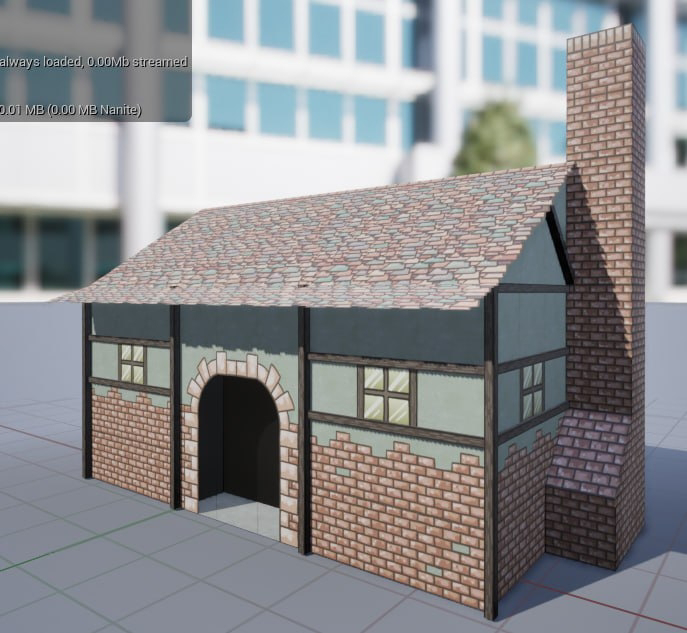
This little house is simply a proof of concept.      I can see my errors. I have tile flipping on the chimney. I also notice the planks sticking out of the roof. This is fixable, I just need to remind myself to be vigilant. I want to redo the windows so they will be reflective without the cheesey self drawn reflection.      So what did I do? I went ahead and made the wood parts 3D myself. I think I want to do the same to the doorway as well.

Learning Unreal Step 2

Image
  I really don't know what I am doing.     Every time I think I am getting closer to figuring out Unreal, the less sure I am. See how the trees don't cast shadows on themselves or on other trees? Yeah, I don't know what I am doing wrong either. With Unity or Godot, it was as easy as putting it in there and switching the rendering to transparent, but Unreal doesn't think like that. Not to mention this default project has so many lighting and camera effects going on, I am curious if that's the reason its not working as believed.     Well... time for more experimentation. Oh yeah... and maybe I need to upgrade that graphic's card.

Learning Shaders (Part 1)

Image
     I don't know anything about shaders, and honestly, it looks confusing as all hell. But in theory, I will only need to learn how to use it once, as most of the design choices in the game will only require one shader shared universally. Let me show you what the tree looks like after making some selections. This is what the tree looks like using the Legacy Transparent Cutout shader. Looks like plastic. Shiny. Here is the Partical Surface shader, but the problem, with this (and you might not see it here), is that the draw order is wrong, causing massive clipping and clip through. It shouldn't look like that. Here is the basic "cutout" shader. It doesn't provide any "shade" at all. On one hand, its nice to actually see it without any shadow effects, as this is the "intended" look based off the sprite sheet. But I would like some basic shading. In fact, if I could get some basic cell shading, that would be wonderful, but I want to at least see m...